
The Best Fluffy Pancakes recipe you will fall in love with. Full of tips and tricks to help you make the best pancakes.

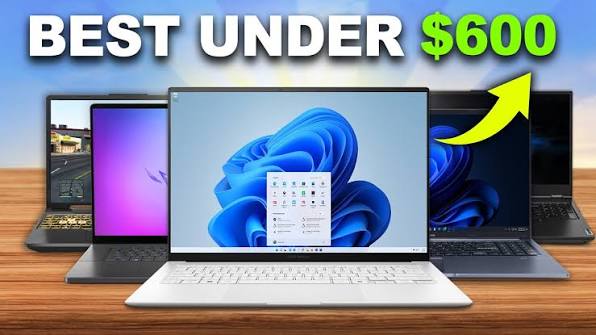
A $1,500 laptop is overkill for the vast majority of college students, whatever the store display or a pushy salesperson might suggest. Unless your degree specifically demands heavy video editing, 3D rendering, or serious software development, a carefully chosen machine under $600 handles essay writing, research, video calls, and note-taking without forcing you to sacrifice the features and everyday performance that truly matter. The real skill is telling apart the specs that genuinely affect a student’s day-to-day experience from the ones that exist mainly to justify a higher price tag.
This guide walks through what to look for in a budget college laptop, the main platform options on the table, and how to keep from paying extra for features you’ll likely never touch.
The Laptop Specs That Make the Biggest Difference
Eight gigabytes of RAM covers most coursework comfortably in 2026, though bumping up to 16GB is worth the stretch if your budget allows, since it makes a real, noticeable difference when a browser with two dozen tabs, a document, and a video call are all running side by side. Storage matters just as much — an SSD instead of a spinning hard drive transforms everyday speed, from boot time to how fast files actually open, and even a smaller SSD tends to outperform a bigger traditional drive in practice, with cloud storage picking up whatever local space runs short.
Battery life deserves real weight in the decision too, given that this machine is going to travel between lecture halls, a library table, and a dorm room all in the same day. Genuine all-day battery performance — 8-plus hours of actual use, not the inflated number pulled from a manufacturer’s best-case marketing test — matters more here than almost any other spec on the list. Weight follows close behind: a laptop hauled across campus every day benefits enormously from being light and reasonably compact, and this is genuinely worth checking in person, since a half-pound difference that looks trivial on a spec sheet feels very different by the third class of the day.
As for the processor, day-to-day student tasks — browsing, writing, video calls, the occasional light photo edit — don’t actually need much horsepower. A mid-range chip covers all of that without issue, and paying up for something considerably more powerful mostly benefits students in demanding creative or technical majors rather than general coursework.
Features Worth Skipping to Save Money
A dedicated graphics card earns its keep for gaming and video editing, but most students never touch either, and skipping one frees up real budget for better battery life, more RAM, or sturdier build quality instead. A 4K screen photographs well in marketing shots but chews through battery faster and offers little practical benefit for typical schoolwork — a solid 1080p display already covers what nearly every student actually needs. Premium materials like an aluminum unibody chassis add cost without meaningfully changing how a laptop performs at its actual job, even if they feel nicer under your hands at a desk.
Choosing Between Windows, Chrome OS, and macOS on a Tight Budget
Windows still offers the widest net under $600 — the broadest range of compatible software, which matters directly the moment your coursework calls for something specific, like statistical software, engineering tools, or an industry program that simply doesn’t exist on other platforms. Budget Windows machines in this price bracket have gotten noticeably better over the past few years, delivering performance that would have felt sluggish and frustrating not that long ago.
For students whose work lives almost entirely in a browser — Google Docs, research, streaming, video calls — a Chromebook is genuinely excellent value under $600, frequently beating a similarly priced Windows machine on both battery life and everyday responsiveness, since Chrome OS carries far less overhead. The catch is compatibility: certain specialized software some majors require simply won’t run, so it’s worth confirming your program’s specific tech requirements before committing to this route.
A brand-new MacBook almost never fits under $600, but a refurbished or previous-generation MacBook Air sometimes does, particularly through Apple’s certified refurbished store or around a sale event. That’s a reasonable path for students who specifically want macOS to stay compatible with other Apple devices they already own, or for certain creative coursework — though availability shifts often enough that it’s worth checking regularly rather than assuming it’s never an option.
Check Your Major’s Laptop Requirements Before You Buy
It’s worth checking, before you shop, whether your specific program has published its own technology requirements — engineering, computer science, film, and design majors in particular sometimes demand more than general coursework does, which might mean stretching the budget or prioritizing certain specs, like extra RAM or a dedicated graphics card, over everything else on this list. Plenty of universities publish minimum and recommended laptop specs by major, and checking ahead of time can spare you an unwanted upgrade halfway through your first semester.
Where the Actual Deals Show Up
Back-to-school sales, generally clustered in late summer, tend to deliver some of the year’s best laptop pricing, since retailers are competing directly for student wallets during that window. Manufacturer student discount programs through companies like Apple, Dell, and Lenovo can shave a meaningful amount off the price too, often requiring nothing more than a valid school email to unlock. Buying certified refurbished directly from the manufacturer, rather than a third-party seller, frequently comes with warranty coverage close to what a new unit gets, at a noticeably lower price — a legitimate way to stretch a tight budget. Open-box listings from major retailers can also offer real savings on essentially new machines, though it’s worth double-checking the specific return and warranty terms first, since those vary a lot store to store.
How to Make Your Budget Laptop Last Through College
A handful of habits go a long way toward stretching a budget laptop’s lifespan across an entire degree. Staying current on operating system and software updates helps preserve both performance and security, since neglected systems tend to slow down and grow more vulnerable over time. A protective sleeve during transport cuts down on physical damage risk from being tossed into a backpack alongside textbooks and everything else. Clearing out unused files and apps periodically also helps head off the gradual slowdown that creeps in as storage fills up, especially on machines with the smaller SSD capacities common at this price point.
Common Laptop Buying Mistakes Students Often Regret Later
Chasing screen size over portability trips up a lot of first-time buyers — a bigger display looks appealing standing in a store, but a bulkier, heavier machine becomes a genuine daily burden across campus, and a 13 to 14-inch screen is usually the more livable choice over a bigger 15 to 16-inch option.
Overlooking keyboard feel is another one people regret later. Students type constantly — lecture notes, essays, endless emails — so keyboard comfort ends up mattering more day-to-day than plenty of specs that get far more attention, and it’s worth typing on one in person before buying sight unseen online.
Paying for specs that never actually get used wastes money that could go somewhere more useful — a dedicated graphics card sitting idle because coursework never touches gaming or editing is budget that would have served better spent on more RAM, longer battery life, or sturdier build quality.
And brushing off warranty coverage entirely tends to cost more down the line than it saves upfront. College life is rough on laptops — spills, drops, the general wear of being hauled everywhere — and even a basic warranty or accidental-damage plan can save real money on repairs over four years of regular use.
If you’re building out a broader tech and study setup alongside a new laptop, our guide to smart home technology covers related ground for putting together a connected, efficient living and study space without overspending.
Frequently Asked Questions
Does 8GB of RAM actually hold up for college coursework in 2026? For most general work — writing, research, browsing, video calls — yes, it holds up fine. Students in heavier fields like engineering or video editing will likely feel the benefit of stepping up to 16GB if the budget stretches that far.
Chromebook or Windows — which one should a college student actually buy? It comes down to what your major demands software-wise. Chromebooks win on value and battery life for browser-based coursework, while Windows machines cover a much wider range of specialized academic software some programs require.
Is a refurbished laptop actually a smart buy for college? Generally, yes — particularly certified refurbished units bought directly from the manufacturer, which usually come with warranty coverage close to what a brand-new machine gets, at a noticeably better price.
How many years should a budget college laptop realistically hold up? Taken care of reasonably, a well-chosen budget laptop should make it through a full four-year degree without issue, though confirming your major’s specific tech requirements beforehand helps avoid an unplanned upgrade mid-degree.
The Bottom Line
Picking the best budget laptop for college under $600 comes down to matching a short list of specs that actually matter — enough RAM, an SSD, real all-day battery life, and a weight you won’t dread carrying — to what your specific major genuinely requires, rather than reaching for the most powerful machine available just because it’s there. Skipping extras like dedicated graphics or a 4K screen that most students never use frees up room in the budget for what actually counts day to day: battery that lasts, a keyboard that doesn’t wear on you, and a laptop light enough to carry from an 8 a.m. lecture to a late-night library session without complaint.
For independent, hands-on laptop testing and current budget laptop recommendations, Wirecutter’s laptop guides are a reliable source to check before buying.